



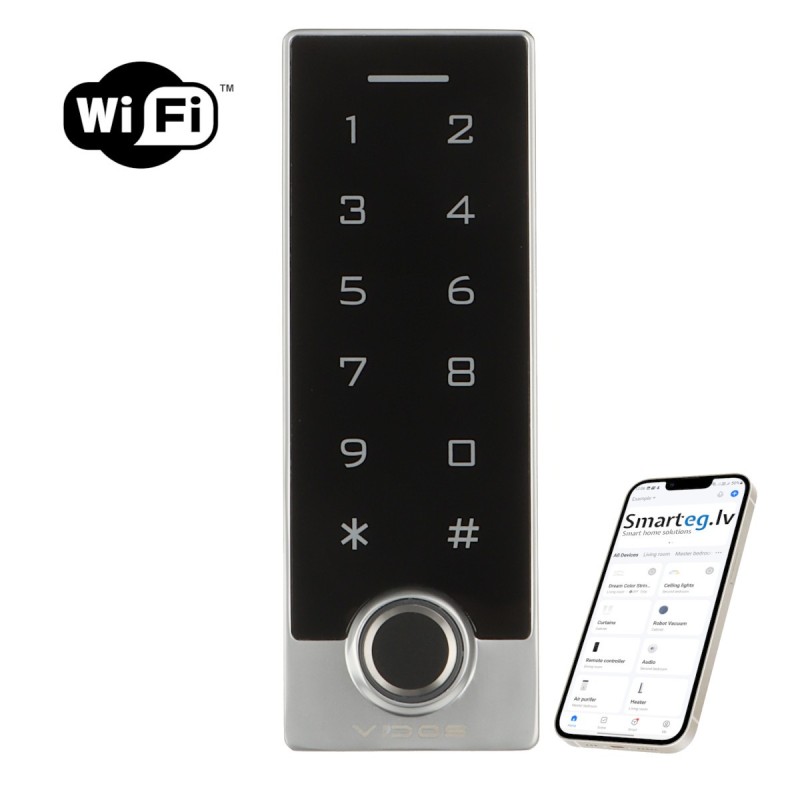
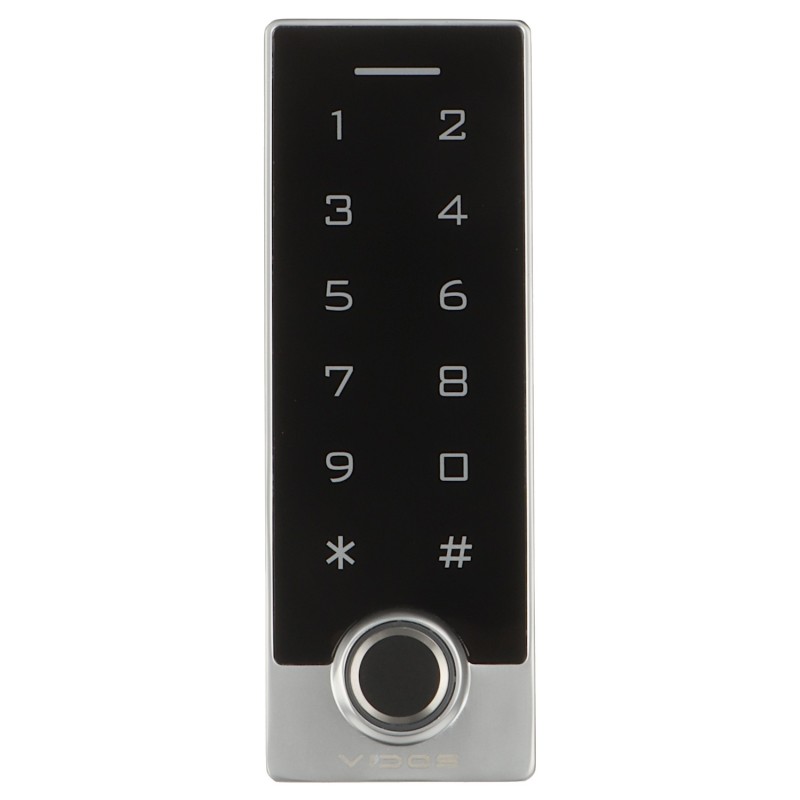
Remote card scanning distance: max. 5 cm;
Automatic work;
Integrated keyboard;
Relation: Wiegand 26;
Access from mobile phone: Possible service via etwork Wi-Fi with mobile application for iOS, Android systems;
Main features: Number of relay outputs : 1, 10,000 indexed users, 600 indexed fingerprints,;
Body: High quality stainless steel + Tempered glass;
Sealing class: IP65;
Anti-vandal;
| Card Support : | Unique EM 125kHz |
| Remote card scanning range : | max. 5 cm |
| Automatic work : | + |
| Integrated Keyboard : | + |
| Connection : | Wiegand 26 |
| Call button : | - |
| Sabotage Output : | - |
| Power : | 12 V DC |
| Maximum Current Demand : | 35 mA (Standby mode) 100 mA (Work) |
| Relay contact load : | 3 A / 12 V |
| Mobile access : | Service available via Wi-Fi etwork with mobile application for iOS, Android systems : Free app Tuya Smart For iOS |
| Main features : | Aligning the device with the TUYA system additionally allows the administrator to fully control the lock at the application level : Remote door opening Remote management of users and schedule (adding, revoking access, granting access to the user during the specified time) Programming one-time access codes and guest accounts with validity period Remote access to all user (ID event history, exact date and time of access) Number of relay outputs : 1, 10,000 indexed users, 600 indexed fingerprints , Opening with card, PIN or fingerprint The possibility of opening with the help of the application on mobile phones Built-in alarm system to protect against unauthorized use Contactless and illuminated keyboard buttons Cooperation with exit button Servicing of Electric Suspensions and Solenoid Valves Return Screw Reverse Service Electric hook opening time: 0s ... 300s NO/NC output Service Wi-Fi |
| Working temperature : | -40 °C ... 60 °C |
| Permissible relative humidity of the environment : | 10 ... 90 % (non-condensing) |
| Body : | High quality stainless steel + Tempered glass |
| Color : | Silver + Black |
| Tightness Class : | IP65 |
| Anti-vandal : | + |
| Weight : | 0.33 kg |
| Dimensions : | 134 x 47 x 24 mm |
Independent installation work gives the user the opportunity to:
Opening with card, PIN or fingerprint
Memorization of saved cards, PINs and line prints
Sound and optical alarm
Possibility of opening with the help of the program on mobile phones
Options provided to the administrator:
Keyboard programming
Adding a ew card with a keyboard
Adding a ew card and entering a PIN code
Changing the user's PIN code
Deleting a user's PIN code
Setting the time to remove the blockade
Return to default settings
Possibility of opening with the help of the program on mobile phones
Tuya is an international home automation platform that connects thousands of products from different manufacturers. The system can support all major communication protocols such as Wi-Fi, Zigbee, BluetoothTuya
Attention! Before adding the device to the Tuya Smart application, run the administrator *PIN pairing procedure (factory PIN 999999)#08 Device and scheme settings can be managed if the device has internet access
To purchase a product in our online store, select the product you like and add it to your shopping cart. Next, go to the Cart and click on "Checkout" or "Quick order".
When placing a quick order, write your full name, phone number and e-mail. The manager will call you back and clarify the conditions of the order. Based on the results of the conversation, you will receive a confirmation of the registration of the goods by mail or via SMS. Now it remains only to wait for delivery and enjoy the new purchase.
Placing an order in the standard mode is as follows. Completely fill out the form in successive stages: address, delivery method, payment, information about yourself. We advise you to write in the comments to the order information that will help the courier find you. Click the "Checkout" button.
Pay for purchases in a convenient way. There are 3 payment options available in the online store:
- Cash on pickup or delivery by courier. The specialist will contact you on the day of delivery to clarify the time and prepare the change from any banknote in advance. You sign shipping documents, deposit funds, receive goods and a check.
- Cashless payment for self-delivery or registration in the online store: Visa and MasterCard cards. To pay for the purchase, the system will redirect you to the server of the ASSIST system. Here you need to enter the card number, expiration date and the name of the holder.
- Electronic systems for online ordering: PayPal, WebMoney and Yandex.Money. To make a purchase, the system will redirect you to the payment service page. Here you need to fill out the form according to the instructions.
Save time on ordering. There are 4 delivery options available in the online store:
- Courier delivery works from 9.00 to 19.00. When the goods arrive at the warehouse, the courier service will contact you to clarify the details. The specialist will offer to choose a convenient delivery time and specify the address. Inspect the packaging for integrity and compliance with the specified configuration.
- Pickup from the store. A list of outlets to choose from will appear in the shopping cart. When the order arrives at the warehouse, you will receive a notification. To receive an order, contact the employee in the checkout area and give the number.
- Postamat. When the order arrives at the outlet, a unique code will be sent to your phone or e-mail. The order must be paid at the parcel terminal. Shelf life - 3 days.
- Postal delivery via Russian Post. When the order arrives at the branch, a notice of the parcel will be sent to your address. Before paying, you can evaluate the condition of the box: weight, integrity. You can open the box yourself only after paying for the order. One order can contain no more than 10 items and its value should not exceed 100,000 rubles.
An additional tab to place information about the store, delivery, or any other important content. It will help you answer the buyer's questions and dispel his doubts about the purchase. Use it at your discretion.
You can remove it or bring it back by changing one checkbox in the component's settings. Very comfortably.