



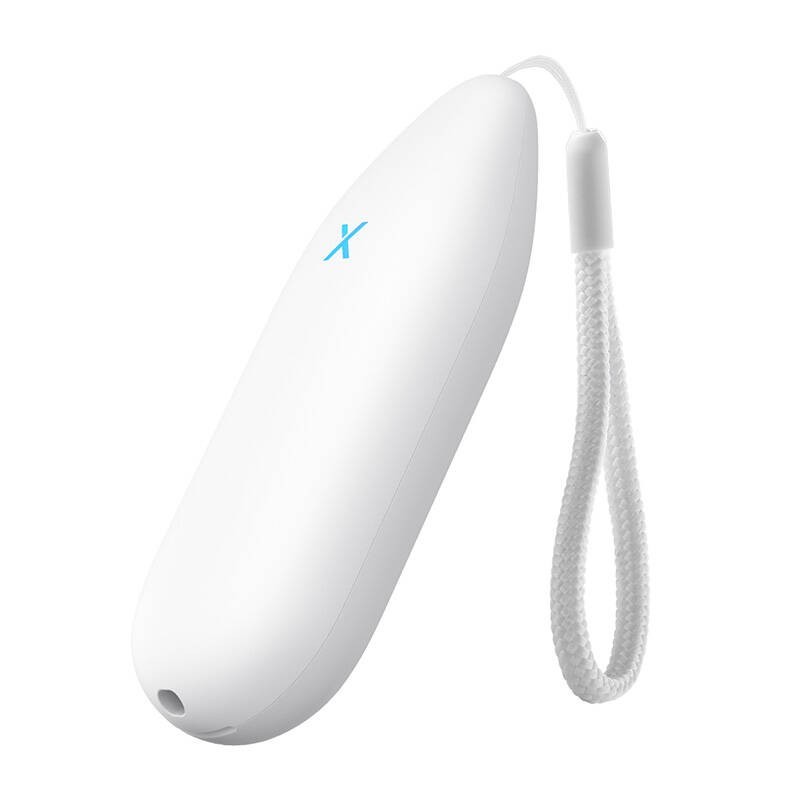
X-Sense STh51 Smart Thermometer/Hygrometer
This smart thermometer and hygrometer is the ideal solution for those who want to accurately monitor the temperature and humidity in their home, office or specialized spaces such as terrariums, greenhouses or incubators. With precise measurements and remote monitoring capabilities, you'll always be up to date on your environmental conditions, no matter where you are. The device works with Amazon Alexa, allowing you to conveniently receive voice information about current room parameters.
Collaboration with Amazon Alexa
Integrate your device with Amazon Alexa's voice assistant to instantly receive information about humidity and temperature levels without having to look in the app. Just ask and Alexa will give you up-to-date data. This is a great convenience, especially when you're busy - you don't have to look for anything on your phone, which saves you time and enhances your user experience.
Export data in the cloud
With the free data export option, you can easily save measurements to the cloud and analyze them at any time. This is especially useful if you care about tracking temperature and humidity changes over the long term, such as in plant breeding or egg incubation. You no longer have to keep notes yourself or worry about losing data - everything is safely stored in the cloud.
Put it where you want it
Whether you're monitoring conditions in a terrarium, greenhouse or incubator, the device is compact enough to easily place anywhere.
Instant push notifications
As soon as the conditions in the monitored room deviate from the set norms, you will immediately receive a push notification on your phone. This ensures that you can always react quickly to unfavorable changes, thus avoiding potential losses - such as the loss of valuable plants or stored cigars.
High-end sensor
The precision Swiss sensor guarantees accurate temperature and humidity measurements, with an accuracy of 0.2°C and 2% relative humidity. It's ideal for demanding users who need reliable results in critical applications. The sensor operates over a wide temperature and humidity range, making it extremely versatile.
Compact design
The device is not only functional, but also aesthetically pleasing and compact. Its slim design means that it can be placed even in the smallest spaces, where it won't take up too much space, but will do its job effectively.
Included
Thermometer Hygrometer
Lanyards
Stickers
AAA batteries
User manual
Manufacturer
X-Sensor
Model
STh51
Power supply
2 × AAA batteries (replaceable)
Voltage
3 V DC
Battery capacity
1200 mAh
Battery life
1 year
Material
ABS
Alarm volume
No sound when the temperature or humidity exceeds the set level (the base station will sound and the app will send a notification).
Light indicator
Red/Blue
Operating temperature
-4-140°F (-20-60°C)
Humidity during operation
0-100% RH
Temperature accuracy
-20-0°C: ±0.2-0.4°C; 0-60°C: ±0,2°C
Accuracy of humidity measurement
10-90% RH: ±2% RH; Maximum: ±3.5% RH; 0-10% / 90-100% RH: ±2-3% RH; Maximum: ±3.5-5% RH
To purchase a product in our online store, select the product you like and add it to your shopping cart. Next, go to the Cart and click on "Checkout" or "Quick order".
When placing a quick order, write your full name, phone number and e-mail. The manager will call you back and clarify the conditions of the order. Based on the results of the conversation, you will receive a confirmation of the registration of the goods by mail or via SMS. Now it remains only to wait for delivery and enjoy the new purchase.
Placing an order in the standard mode is as follows. Completely fill out the form in successive stages: address, delivery method, payment, information about yourself. We advise you to write in the comments to the order information that will help the courier find you. Click the "Checkout" button.
Pay for purchases in a convenient way. There are 3 payment options available in the online store:
- Cash on pickup or delivery by courier. The specialist will contact you on the day of delivery to clarify the time and prepare the change from any banknote in advance. You sign shipping documents, deposit funds, receive goods and a check.
- Cashless payment for self-delivery or registration in the online store: Visa and MasterCard cards. To pay for the purchase, the system will redirect you to the server of the ASSIST system. Here you need to enter the card number, expiration date and the name of the holder.
- Electronic systems for online ordering: PayPal, WebMoney and Yandex.Money. To make a purchase, the system will redirect you to the payment service page. Here you need to fill out the form according to the instructions.
Save time on ordering. There are 4 delivery options available in the online store:
- Courier delivery works from 9.00 to 19.00. When the goods arrive at the warehouse, the courier service will contact you to clarify the details. The specialist will offer to choose a convenient delivery time and specify the address. Inspect the packaging for integrity and compliance with the specified configuration.
- Pickup from the store. A list of outlets to choose from will appear in the shopping cart. When the order arrives at the warehouse, you will receive a notification. To receive an order, contact the employee in the checkout area and give the number.
- Postamat. When the order arrives at the outlet, a unique code will be sent to your phone or e-mail. The order must be paid at the parcel terminal. Shelf life - 3 days.
- Postal delivery via Russian Post. When the order arrives at the branch, a notice of the parcel will be sent to your address. Before paying, you can evaluate the condition of the box: weight, integrity. You can open the box yourself only after paying for the order. One order can contain no more than 10 items and its value should not exceed 100,000 rubles.
An additional tab to place information about the store, delivery, or any other important content. It will help you answer the buyer's questions and dispel his doubts about the purchase. Use it at your discretion.
You can remove it or bring it back by changing one checkbox in the component's settings. Very comfortably.