



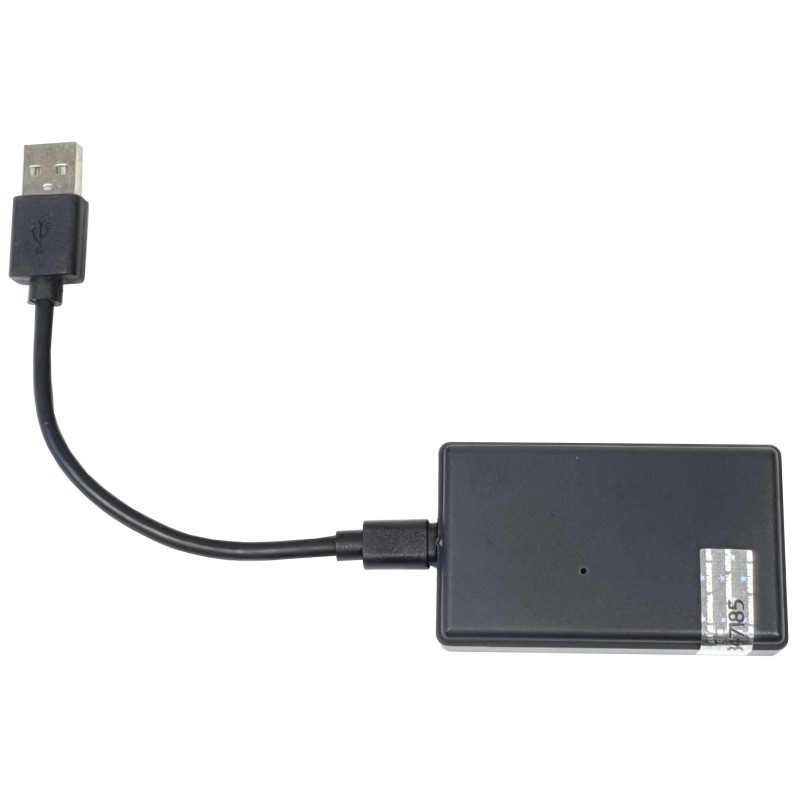
Our mobile phone is maybe the only thing we always keep close to ourselves, therefore it can be used as a presence detector in a smart home or a smart office to run 'arrived home' or 'left home' automations.
BTScanner uses classic Bluetooth 2.0 based technology to detect the presence of mobile phones within its detection range. MACaddress of detectable mobile phones shall be pre-registered on it admin. interface. These BTâ€MACaddresses are searched continuously (cyclically) by BTScanner without having to pair the phones with BTScanner's Bluetooth (and it actually cannot be paired). If the BTScanner finds at least one of the BTâ€MAC addresses, the presence (switch) turns "on". However, if it does ot find any BTâ€MAC address 5 times (over 5 cycles), the presence switch will turn "off". When presence switch is turned on or off, pre-defined HTTP URL calls are sent to compatible devices, e.g. Shelly smart devices (even with factory firmware) or Sonoff devices (with Tasmota firmware) accepting HTTP API calls.
These direct device-to-Device (DDD) HTTP calls are sent directly to compatible devices (e.g. Shelly, Sonoff-Tasmota, ESPEasy), there is o eed to use a local automation server for this feature.
BTScanner also supports sending MQTT messages to a local MQTT server when present switch turns on or off, therefore it is also compatible with Home Assistant, OpenHAB, FHEM, Homey systems. (Home Assistant config is available for download.)
BTScanner Bluetooth-based mobile phone presence detector is a useful extension of home automation systems. Thanks to the used Bluetooth v2.0 protocol, it is also compatible with traditional mobile phones, ot just smart homes. No eed to install any app on the phone, or pair the phone by Bluetooth, or have any special settings on the phone. All you will eed to do is to specify the Bluetooth MACaddress of the phones on the settings page of the BTScanner and keep the Bluetooth "ON" on the phones, and BTScanner will detect all those phones with approx. 10 meters range (but would ot BT connect to them).
When detecting any phones in the range:
- would initiate HTTP URL calls (Shelly DDD, Direct Device-to-Device calls) to Shelly smart devices or Sonoff devices with Tasmota firmware on the local etwork,
- or use MQTT to connect to MQTT-compatible local home automation systems, such as OpenHAB; Home Assistant, FHEM or Homey.
HTTP commands are sent in case any of the pre-defined phones are detected, while in case of MQTT the detected phone MACaddress is sent to the MQTT server so specific phone-based automation is also possible.
In total: maximum 15 configuration lines are accepted in BTScanner admin page (phone BT MACaddress and HTTP URLs together). It is suggested to specify o more than 8-10 phone Bluetooth IDs, because more phones may cause the search cycle too long and finding phones to slow, because the BT search cycle is 6 seconds per phone defined, so in case of 1 phone phone is found practically immediately, in case of 3 phones withing 18 sec., but in case of 10 phones only within 60 seconds/1 minute.
In case the 10 meters range of Bluetooth scanner is ot enough for a home or an office (larger size or multi-storey buildings, or large garden etc.) or you wish to pair more than 10 phones, or you also eed to automate garage door opener or a gate opener, then you will eed multiple BTScanner presence detectors. They can work independently from each other or work together in a master-slave relationship.
If the WiFi connection is ot configured yet, or the configured etwork is unavailable, the device will create its own WiFi AP (Access Point), and we can connect to it directly with phone, tablet or PC to set up the configuration.
Features:
- Thanks to Bluetooth 2.0 it is compatible with practically almost all phones (Android, iPhone, old phones)
- Supports DDD (HTTP API) commands to Shelly relays - Shelly 1 / 1PM / 2 / 2.5 / 4Pro
- Supports HTTP API) commands to Sonoff devices with Tasmota firmware
- Supports ESPEasy
- Supports control of roller shutters.
- Alexa compatible (via IFTTT)
- Supports 15 configuration lines (MAC BT 2.0 address and DDD commands) (max. 8-10 mobile phones suggested)
- HTTP DDD commands and MQTT messages are sent when BTScanner detects at least one phone, or when all devices are lost (for min. 5 search cycles)
- If Bluetooth range is too small or more than 8-10 phone should be configured, you may use multiple BTScanners
- Configuration of BTScanner can be made on a password-protected web administration interface
- Device firmware can be updated on web interface
- Compatible with Home Assistant, OpenHAB, FHEM, Homey
Additional accessories:
BTScanner eeds a microUSB power adaptor, which is ot an accessory but sold separately. We suggest this practical power adapter, which comes with a a self-adhesive velcro, also accessory)
To purchase a product in our online store, select the product you like and add it to your shopping cart. Next, go to the Cart and click on "Checkout" or "Quick order".
When placing a quick order, write your full name, phone number and e-mail. The manager will call you back and clarify the conditions of the order. Based on the results of the conversation, you will receive a confirmation of the registration of the goods by mail or via SMS. Now it remains only to wait for delivery and enjoy the new purchase.
Placing an order in the standard mode is as follows. Completely fill out the form in successive stages: address, delivery method, payment, information about yourself. We advise you to write in the comments to the order information that will help the courier find you. Click the "Checkout" button.
Pay for purchases in a convenient way. There are 3 payment options available in the online store:
- Cash on pickup or delivery by courier. The specialist will contact you on the day of delivery to clarify the time and prepare the change from any banknote in advance. You sign shipping documents, deposit funds, receive goods and a check.
- Cashless payment for self-delivery or registration in the online store: Visa and MasterCard cards. To pay for the purchase, the system will redirect you to the server of the ASSIST system. Here you need to enter the card number, expiration date and the name of the holder.
- Electronic systems for online ordering: PayPal, WebMoney and Yandex.Money. To make a purchase, the system will redirect you to the payment service page. Here you need to fill out the form according to the instructions.
Save time on ordering. There are 4 delivery options available in the online store:
- Courier delivery works from 9.00 to 19.00. When the goods arrive at the warehouse, the courier service will contact you to clarify the details. The specialist will offer to choose a convenient delivery time and specify the address. Inspect the packaging for integrity and compliance with the specified configuration.
- Pickup from the store. A list of outlets to choose from will appear in the shopping cart. When the order arrives at the warehouse, you will receive a notification. To receive an order, contact the employee in the checkout area and give the number.
- Postamat. When the order arrives at the outlet, a unique code will be sent to your phone or e-mail. The order must be paid at the parcel terminal. Shelf life - 3 days.
- Postal delivery via Russian Post. When the order arrives at the branch, a notice of the parcel will be sent to your address. Before paying, you can evaluate the condition of the box: weight, integrity. You can open the box yourself only after paying for the order. One order can contain no more than 10 items and its value should not exceed 100,000 rubles.
An additional tab to place information about the store, delivery, or any other important content. It will help you answer the buyer's questions and dispel his doubts about the purchase. Use it at your discretion.
You can remove it or bring it back by changing one checkbox in the component's settings. Very comfortably.