



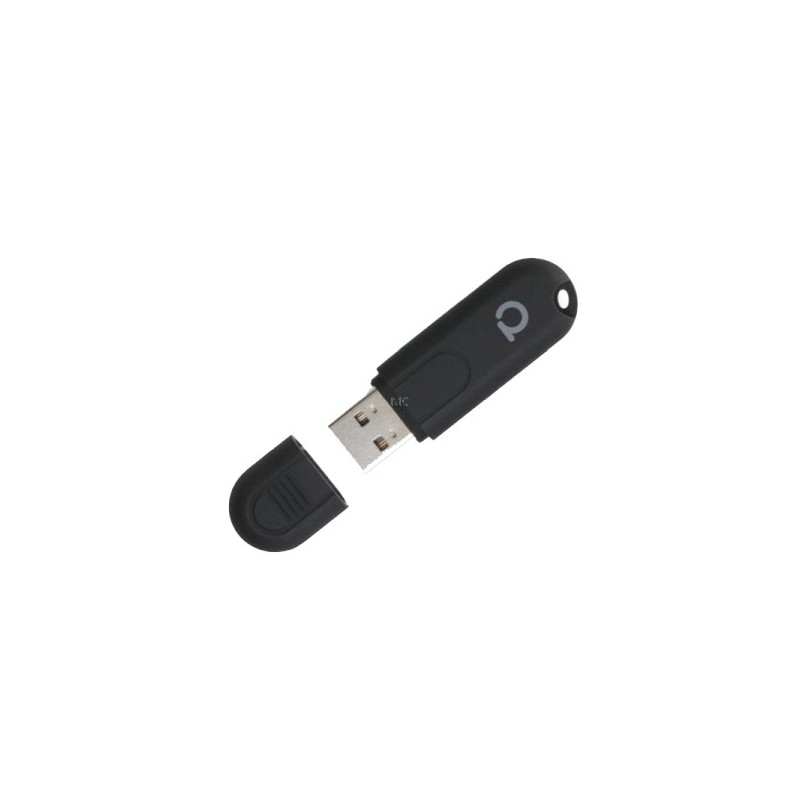
Conbee II is a universal Zigbee USB gateway (or coordinator), it adds Zigbee protocol support to PC and Raspberry Pi-based home automation systems. Conbee II is one of the most popular platform-independent Zigbee coordinators with wide Zigbee device and platform compatibility.. ConBee II is a universal Zigbee USB gateway. Unites Zigbee devices of many vendors. a cloud free solution. strong signal range via power-amplifier. works with popular Home Automation Systems Works without cloud. No registration eeded. Local control of devices, without Internet. All data, like the state of lights, sensors and switches stay in the local etwork Compatibility. The Conbee II solution is compatible with a wide range of lights, switches and sensors from Philips Hue, IKEA TRÃ…DFRI, Xiaomi Aqara, OSRAM SMART+, Busch-Jaeger, GIRA, JUNG, Paulmann and Paul Neuhaus For devices ot listed here, there is a built-in Device Description editor, which can be used to prepare the device description with a few clicks, so almost any compatible Zigbee device can be added to work with it.. Platform independent. ConBee II turns minicomputers like Raspberry Pi and Intel NUC, as well as, PCs and laptops into universal Zigbee gateways.. Easy platform migration. Using the Phoscon App backup function it is possible to transfer a Zigbee installation to a ew system. For example, you can migrate an existing setup from a Raspberry Pi to a more powerful IntelcNUC.. Home Automation Systems. The ConBee II has been integrated into the most popular Smart Home systems by the commmunity. The powerful integration allows exciting automations and functions. For example, any Zigbee device can be used with HomeKit via Homebridge-hue homebridge-hue home assistant deconz docker container |. zigbee2mqtt ode-red. |. fhem iobroker jeedom jowihue for homeseer domoticz openhab pimatic homey ai-speaker webthings ymea symcon hoobs Signal range. up to 30m (100ft) in buildings. up to 200m (650ft) in free line of sight Thanks to its power-amplifier, the ConBee II has an outstanding range. This lets the signal pass through 2 3 rooms or floors, depending on the construction type. Devices further away are connected through the Zigbee Mesh etwork. In this etwork, all mains powered Zigbee devices, such as lights and sockets, act as repeaters and can route the signal.. Phoscon software package. The Phoscon App to integrate and control many popular Zigbee devices and to setup automations and rules. deCONZ to configure, control and display Zigbee etworks. ZSHARK extension for etwork analysis sniffer software Wireshark. Recommended third party Apps for Android and iOS. Technical specification. Name. Description. Microcontroller. ATSAMR21B18 ARM® Cortex®-M0+. Rated voltage. DC 5.0 V. Transmission power. max. 10 mW. Signal range. 200 m in free line of sight. Radio frequency. 2.4 GHz. Radio standard. IEEE 820.15.4 / Zigbee 3.0. Flash memory. 256 kByte. Storage temperature. -20 °C to 55 °C. Operating temperature. -20 °C to 55 °C. Operating systems. Microsoft Windows 7 / 10, Ubuntu, Raspbian, Docker. Dimensions. 60 mm × 18 mm × 9 mm.
To purchase a product in our online store, select the product you like and add it to your shopping cart. Next, go to the Cart and click on "Checkout" or "Quick order".
When placing a quick order, write your full name, phone number and e-mail. The manager will call you back and clarify the conditions of the order. Based on the results of the conversation, you will receive a confirmation of the registration of the goods by mail or via SMS. Now it remains only to wait for delivery and enjoy the new purchase.
Placing an order in the standard mode is as follows. Completely fill out the form in successive stages: address, delivery method, payment, information about yourself. We advise you to write in the comments to the order information that will help the courier find you. Click the "Checkout" button.
Pay for purchases in a convenient way. There are 3 payment options available in the online store:
- Cash on pickup or delivery by courier. The specialist will contact you on the day of delivery to clarify the time and prepare the change from any banknote in advance. You sign shipping documents, deposit funds, receive goods and a check.
- Cashless payment for self-delivery or registration in the online store: Visa and MasterCard cards. To pay for the purchase, the system will redirect you to the server of the ASSIST system. Here you need to enter the card number, expiration date and the name of the holder.
- Electronic systems for online ordering: PayPal, WebMoney and Yandex.Money. To make a purchase, the system will redirect you to the payment service page. Here you need to fill out the form according to the instructions.
Save time on ordering. There are 4 delivery options available in the online store:
- Courier delivery works from 9.00 to 19.00. When the goods arrive at the warehouse, the courier service will contact you to clarify the details. The specialist will offer to choose a convenient delivery time and specify the address. Inspect the packaging for integrity and compliance with the specified configuration.
- Pickup from the store. A list of outlets to choose from will appear in the shopping cart. When the order arrives at the warehouse, you will receive a notification. To receive an order, contact the employee in the checkout area and give the number.
- Postamat. When the order arrives at the outlet, a unique code will be sent to your phone or e-mail. The order must be paid at the parcel terminal. Shelf life - 3 days.
- Postal delivery via Russian Post. When the order arrives at the branch, a notice of the parcel will be sent to your address. Before paying, you can evaluate the condition of the box: weight, integrity. You can open the box yourself only after paying for the order. One order can contain no more than 10 items and its value should not exceed 100,000 rubles.
An additional tab to place information about the store, delivery, or any other important content. It will help you answer the buyer's questions and dispel his doubts about the purchase. Use it at your discretion.
You can remove it or bring it back by changing one checkbox in the component's settings. Very comfortably.