



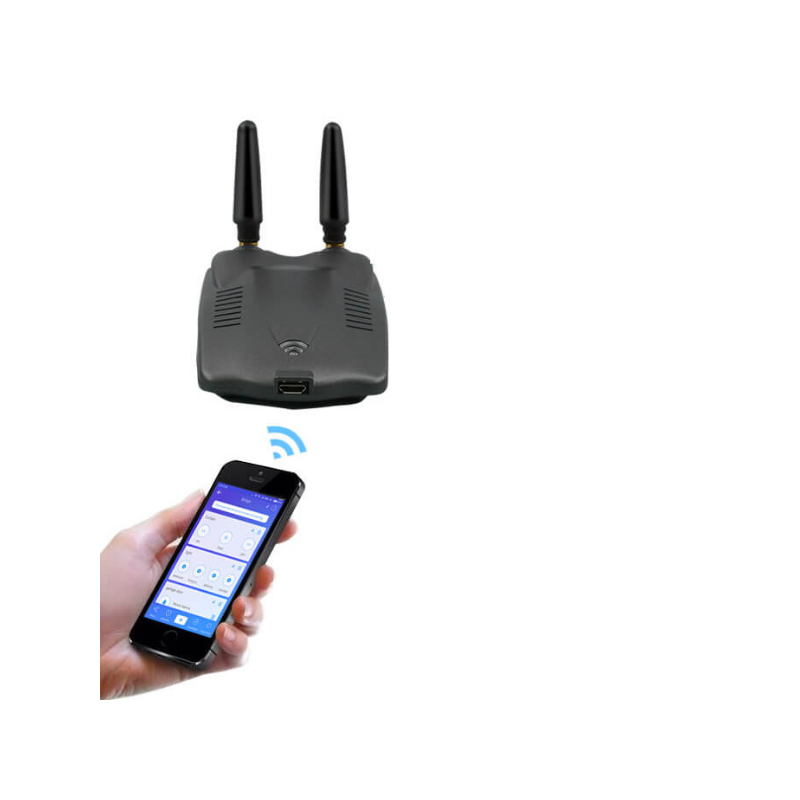
SmartWise RF Bridge Pro for Shutters is WiFi-RF gateway or bridge, specially created for RF-controlled roller shutters using Dooya encoding. Most RF remote controller roller shutters of Smart Home brand, Rojaflex brand and some other brands are compatible with it. Please ote, that Rf remotes with other than Dooya encoding, such as Somfy RTS, or rolling code RF remotes are NOT compatible with the bridge. The bridge creates a connection between radio frequency capable (RF) roller shutters and eWeLink app compatible Sonoff and SmartWise smart devices, and makes the roller shutters controllable from eWeLink app via the internet and the eWeLink cloud. Also, eWeLink scheduled actions are available to open and close the roller shutters at specific times or at sunrise or sunset. The gateway supports up to 4 pcs. of 3-button remote contollers (with UP, STOP, DOWN buttons), that is, you can control up to 4 different roller shutters with it remotely Configuration:. Firstly, pair the SmartWise RF Bridge Pro for Shutters gateway with your phone and set it up with eWeLink app and cloud by connecting it to the home or office Wi-Fi router. Then use the eWeLink app to pair your remote controller (using Dooya enoding) with SmartWise RF Bridge Pro for Shutters RF gateway, during pairing the Bridge will listen to the remote controller signal and copy the UP / STOP / DOWN signals when the button is pressed on the remote controller. RF Bridge Pro is ow capable of simulating remote controller buttons and send the same switch signals to the RF roller shutters as the remote controllers. Therefore you may control the roller shutters with OPEN/STOP/CLOSE commands from eWeLink app through the internet, and also you can set scheduled switching in the eWeLink app Product features:. Compatible with 433MHz RF remote conttrollers using Dooya-encoding (e.g. most Smart Home, Rojaflex RF remote controllers), copies remote control signals and simlulate it locally to support switching via the internet from eWeLink app Does ot support dynamic or rolling code RF devices. Approx. 20-30 m distance supported between bridge and roller shutters (without barriers) Up to 4 pcs. of Dooya-encoded roller shutters supported microUSB cable is part of the product, but power adapter is ot an accessory (you will eed a standard microUSB 5V DC / 1A power adapter). Sync status changes (ON / OFF) are ot displayed in the smartphone app if sent from RF devices Timer function: up to 8 offline scheduler settings and countdown schedule to operate roller shutters Sunset, sunrise -based timing is also supported via the cloud Free smartphone iOS and Android app (eWeLink app) Compatible with Amazon Alexa and Google Assistant
To purchase a product in our online store, select the product you like and add it to your shopping cart. Next, go to the Cart and click on "Checkout" or "Quick order".
When placing a quick order, write your full name, phone number and e-mail. The manager will call you back and clarify the conditions of the order. Based on the results of the conversation, you will receive a confirmation of the registration of the goods by mail or via SMS. Now it remains only to wait for delivery and enjoy the new purchase.
Placing an order in the standard mode is as follows. Completely fill out the form in successive stages: address, delivery method, payment, information about yourself. We advise you to write in the comments to the order information that will help the courier find you. Click the "Checkout" button.
Pay for purchases in a convenient way. There are 3 payment options available in the online store:
- Cash on pickup or delivery by courier. The specialist will contact you on the day of delivery to clarify the time and prepare the change from any banknote in advance. You sign shipping documents, deposit funds, receive goods and a check.
- Cashless payment for self-delivery or registration in the online store: Visa and MasterCard cards. To pay for the purchase, the system will redirect you to the server of the ASSIST system. Here you need to enter the card number, expiration date and the name of the holder.
- Electronic systems for online ordering: PayPal, WebMoney and Yandex.Money. To make a purchase, the system will redirect you to the payment service page. Here you need to fill out the form according to the instructions.
Save time on ordering. There are 4 delivery options available in the online store:
- Courier delivery works from 9.00 to 19.00. When the goods arrive at the warehouse, the courier service will contact you to clarify the details. The specialist will offer to choose a convenient delivery time and specify the address. Inspect the packaging for integrity and compliance with the specified configuration.
- Pickup from the store. A list of outlets to choose from will appear in the shopping cart. When the order arrives at the warehouse, you will receive a notification. To receive an order, contact the employee in the checkout area and give the number.
- Postamat. When the order arrives at the outlet, a unique code will be sent to your phone or e-mail. The order must be paid at the parcel terminal. Shelf life - 3 days.
- Postal delivery via Russian Post. When the order arrives at the branch, a notice of the parcel will be sent to your address. Before paying, you can evaluate the condition of the box: weight, integrity. You can open the box yourself only after paying for the order. One order can contain no more than 10 items and its value should not exceed 100,000 rubles.
An additional tab to place information about the store, delivery, or any other important content. It will help you answer the buyer's questions and dispel his doubts about the purchase. Use it at your discretion.
You can remove it or bring it back by changing one checkbox in the component's settings. Very comfortably.